
Victron
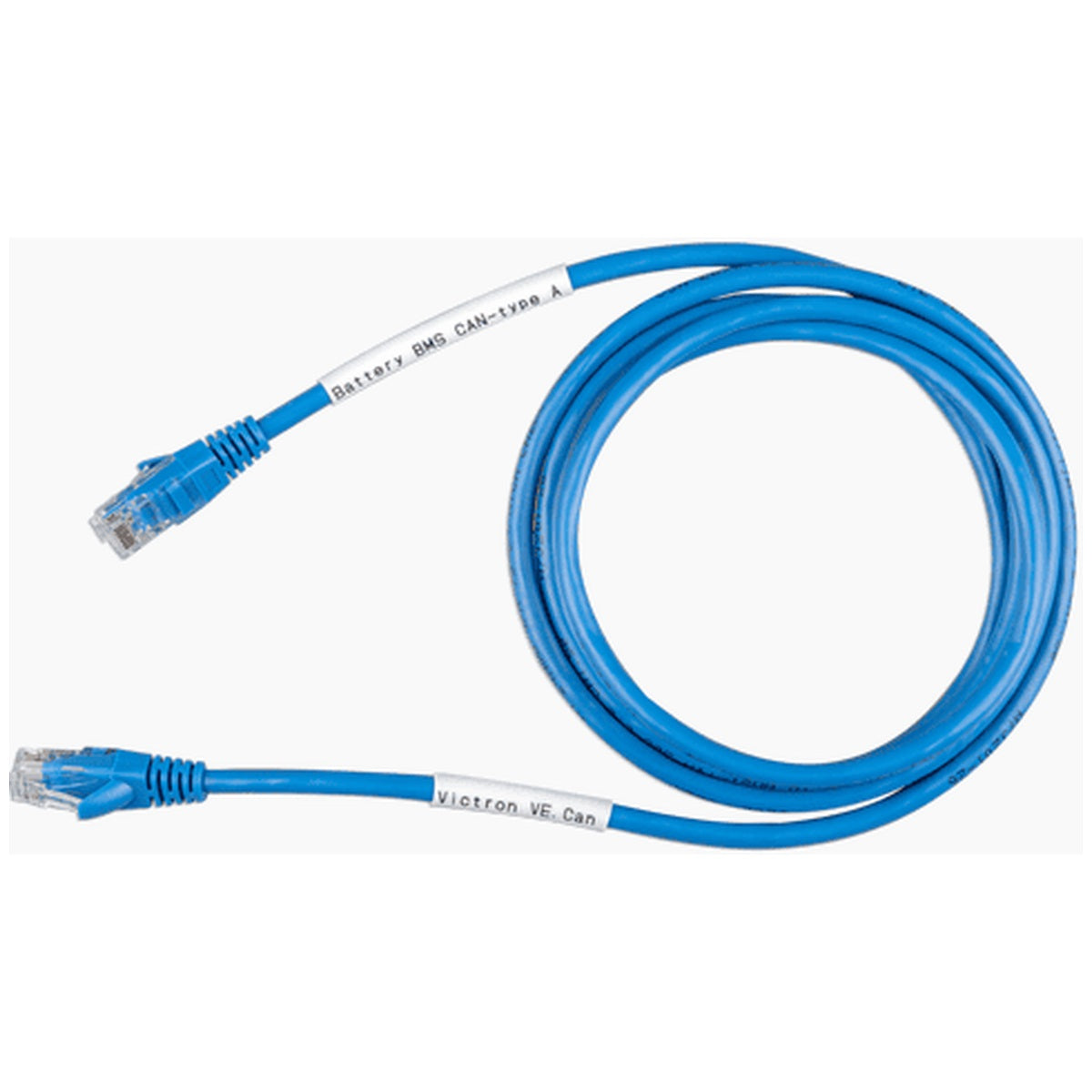
Victron Energy - VE.Can CAN-Bus BMS Type A Cable - 1.8m
Victron Energy - VE.Can CAN-Bus BMS Type A Cable - 1.8m
Couldn't load pickup availability
Victron VE.Can to CAN-Bus BMS Type A Cable 1.8m: Reliable Communication for Your Energy System
Purpose-Built Cable for Seamless Battery Integration
The Victron VE.Can to CAN-Bus BMS Type A Cable (1.8m) provides a dedicated, plug-and-play communication link between your Victron GX device and compatible lithium battery management systems. This cable is engineered to ensure stable, error-free data transfer, enabling your system to monitor battery state, manage charging, and prevent unexpected shutdowns. By using this purpose-built cable, you eliminate the risks associated with generic RJ45 cables, such as incorrect pin-outs, signal interference, or unreliable connections that can lead to system faults or battery disconnection.
Designed for critical BMS communication, this cable supports the CAN-bus protocol at 500 kbit/s, the standard for Victron and many third-party batteries. It is not a standard Ethernet cable; its internal wiring follows a specific pin-out configuration that matches Victron VE.Can ports to the CAN ports on supported batteries. Using the correct cable is essential for safe and reliable operation, particularly in off-grid, marine, or mobile installations where power continuity is paramount.
Type A Compatibility: Optimised for Modern Pylontech and BYD Batteries
This Type A cable (part number ASS030710118) is compatible with a wide range of lithium battery models, including:
- Pylontech US2000C, US3000C, UP5000, US5000, US5000B, and Force-L series
- BYD B-Box
- Hubble Lithium via CloudLink (including AM-10+/Blade internal CloudLink)
If you are using older Pylontech models such as US2000, US3000, or UP2500, or batteries from LG Chem Resu, AXIstorage, or BMZ, you will require the Type B cable (ASS030720018). Always verify your battery's CAN port pin-out before installation to ensure correct communication.
Key Features
- Pre-configured 1.8m length for tidy installations in enclosures or near battery racks
- Labelled connectors: "Battery BMS" and "Victron VE.Can" for foolproof orientation
- Compatible with VE.Can and BMS-Can ports on Cerbo GX, Venus GX, and other GX devices
- Supports CAN-bus BMS protocol at 500 kbit/s for fast, reliable data exchange
- Durable blue jacket with moulded RJ45 connectors for long-term reliability
- Includes clear pin-out mapping: GND (Pin 3 to 6), CAN-L (Pin 8 to 5), CAN-H (Pin 7 to 4)
Why Correct BMS Communication Matters
Without a properly connected BMS cable, your Victron GX device cannot read critical battery data such as state of charge, voltage, temperature, and alarm status. This can lead to the battery entering a protective shutdown, potentially interrupting power to your loads and causing system instability. The VE.Can to CAN-Bus BMS Type A Cable ensures that your battery and inverter/charger work in harmony, enabling features like DVCC (Distributed Voltage and Current Control) for optimised charging and extended battery life.
Generic network cables may physically fit but often have different wiring schemes that can damage equipment or cause intermittent faults. This Victron cable is tested and approved for use with their ecosystem, reducing installation risk and support calls.
Installation Guidance
Connect the end labelled "Battery BMS" to the CAN port on your master battery. Connect the end labelled "Victron VE.Can" to a VE.Can or BMS-Can port on your GX device. If using a VE.Can port, you must change its profile to "CAN-bus BMS (500 kbit/s)" in the GX device settings, and note that the port will then be dedicated to BMS communication. Insert a VE.Can terminator (included with your GX device) into the second VE.Can socket if available. Always power down the system before making connections and verify that the battery appears on the GX device display after startup.
Secure Your System's Communication Backbone
Ensure reliable, uninterrupted power management by using the correct communication cable. Add the Victron VE.Can to CAN-Bus BMS Type A Cable 1.8m to your installation today and maintain full visibility and control over your energy storage system.
Specifications
| Part Number | ASS030710118 |
|---|---|
| Product Name | VE.Can to CAN-bus BMS Type A Cable 1.8 m |
| Cable Type | Type A |
| Cable Length | 1.8 m |
| Compatible Batteries | BYD B-Box; Hubble Lithium via CloudLink (incl. AM-10+/Blade internal CloudLink); Pylontech US2000C/US3000C/UP5000/Force-L |
| Battery-Side Label | CAN-bus BMS |
| Victron-Side Label | VE.Can |
| GX Device Connection | VE.Can Port or BMS-Can Port |
| GND Pin-Out | Victron VE.Can Side: Pin 3; Battery Side: Pin 6 |
| CAN-L Pin-Out | Victron VE.Can Side: Pin 8; Battery Side: Pin 5 |
| CAN-H Pin-Out | Victron VE.Can Side: Pin 7; Battery Side: Pin 4 |
Share